How To Open a Locker
September 28, 2023
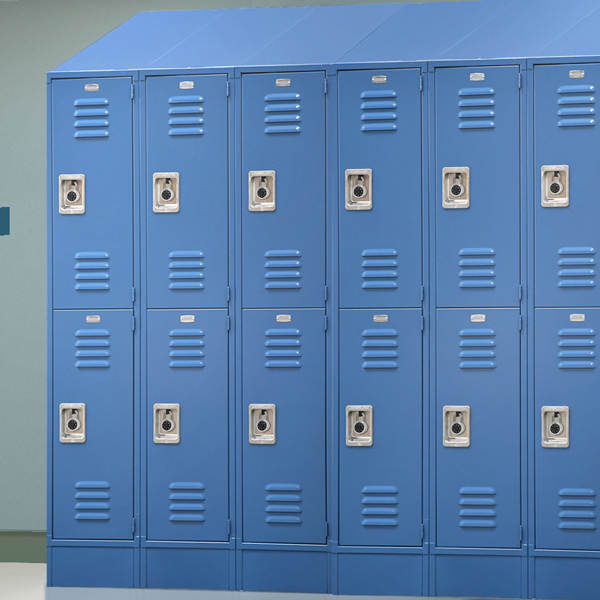
Navigating the world of lockers might seem straightforward, but anyone who's stood flustered in front of one knows that opening them isn't always a simple task. From traditional combination locks to modern electronic systems, the mechanisms can vary. Don’t be unprepared next time you encounter a unique locker type.
Lockers.com is here to uncover the nuances of unlocking each locker type, ensuring you are never confused by these security devices again.
How to Open a Traditional Locker Combination Lock
Combination locks are everywhere, often conjuring memories of school hallways and gym classes.
- Get Acquainted with the Dial: In the center of the lock, you'll find a rotating dial. This is your main tool to unlock.
- Resetting: Start by turning the dial clockwise (right) for three complete rotations. This ensures any previous attempts are cleared and preps the lock.
- To the First Number: Slowly rotate until the first number of your combination aligns with the reference point, often an arrow or indicator line.
- A Counter-Clockwise Move: Rotate the dial left, bypassing the first number. Stop only when you reach the second number of your combination.
- Back to Clockwise: Without hesitation, turn the dial directly to the third number.
- The Final Step: Now, either pull up the shackle or turn it. Voila! Your locker should swing open.
How to open a Locker with a Built-in Lock
Built-in locks are sleek, often offering both combination and keyed methods:
For Combination Locker Locks:
- Introducing the Built-In Dial: Unlike an external lock, this dial is a part of the locker itself but operates similarly.
- Unlocking Sequence: Use the same steps as above for a traditional locker combination. The key difference? You're working directly on the locker door.
For Keyed Locker Locks:
- Spot the Keyhole: Unlike dials, this is a small, often circular slot.
- Engage the Key: Slide the appropriate key into the hole with a gentle push.
- A Simple Turn: Rotate the key. Depending on the lock, this might be clockwise or counterclockwise. As you turn, you'll feel a subtle shift—this indicates the lock releasing.
- Access Granted: Gently pull the locker door towards you.
The Process of Using a Resettable Combination Locker Lock
Perfect for those who prefer customizable security:
The lock has a four (4) digit combination setting. When the lock is locked (closed), a red indicator appears in a window above the operation knob. When the lock is unlocked (opened), a green indicator appears in the window. There are two (2) modes of operation: fixed combination or resettable combination.
Fix Combination:
- Identify if the lock is open: If locked, turn the four (4) dials to the factory preset combination or the known combination that unlocks the lock.
- Open lock: Turn the operation knob clockwise 180° to the open position. The indicator in the window will turn from red to green.
- Secure belongings: Put all your valuables in the locker and close the door.
- All done: Scrambled the fixed combination and now your belongings are secure.
- Reopening the lock: Use the same fixed combination to open the lock and retrieve your belongings.
Resettable Combination:
- Find an available locker: Use the operation knob to open the locker door and put your belongings away.
- Secure your belongings: Shut the door and add your unique (4) dial combination and turn the operation knob to the lock position (red window indicator)
- Scramble: After locking your restable combination lock scramble the (4) dials to secure your belonging and keep the lock closed.
- Reopening the lock: Use the same unique (4) dial combination to reopen the lock and retrieve your belongings.
Operating an Electronic Lock for Lockers
Welcome to the digital age of lockers:
- Keypad Familiarization: The electronic locks will feature a ten-digit keypad, each button awaiting your touch.
- Keying In: Input your unique four (4) digit code. If you're new to this locker, "2244" might be your starting point as it's often the default.
- The LED Tells All: As you type, watch the LED closely. Each blue blink confirms a successful digit entry. Four correct digits? Expect a continuous blue light. Any mistakes? A red blink warns you of the error.
- Handle It: After the LED's affirmation, turn the handle below the keypad. The locker door should now easily open.
Not all lockers are the same.
Whether you're a seasoned locker user or new to many different types, there's nothing wrong with brushing up on the instructions for each one. For in-depth guides, innovative locker solutions, or just some friendly advice, head over to Lockers.com.